


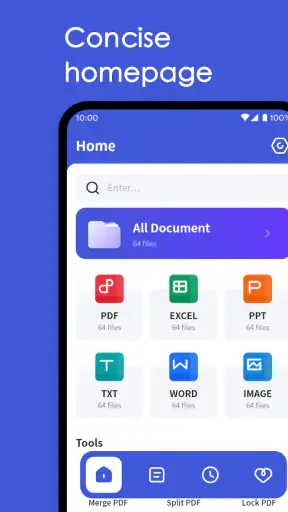
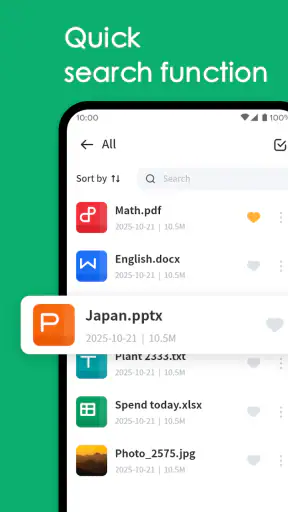
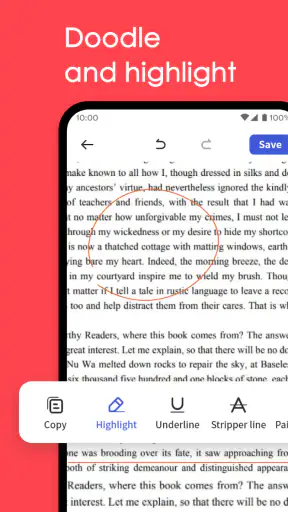
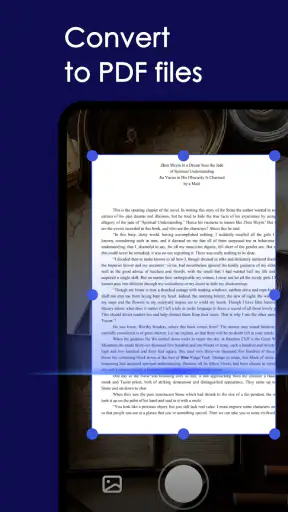
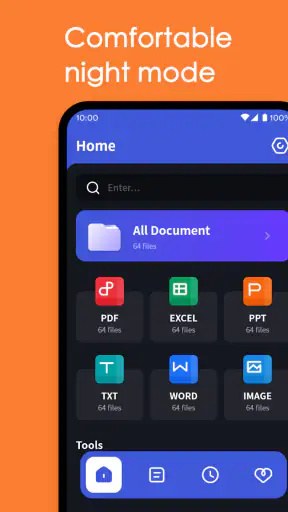
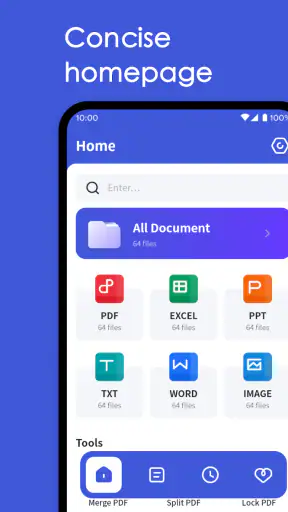
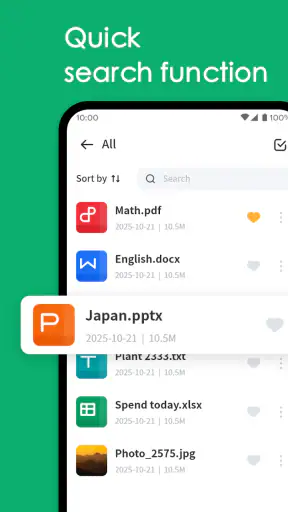
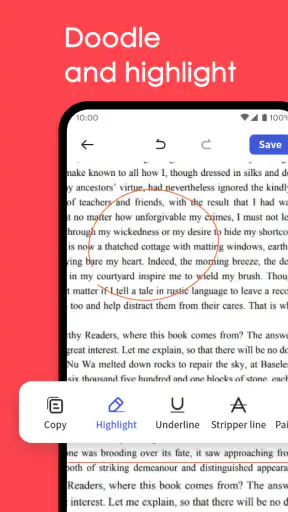
I approached All Document Center as a practical productivity tool rather than a full office suite. Its purpose is straightforward: bring everyday document handling into one place and cover basic processing without making me jump between several unrelated apps. That makes it potentially useful for someone whose phone has become a temporary filing cabinet, scanner companion, or document handoff point.
The app comes from 5660 BA, LLC and is available free of charge for everyone. It belongs to the productivity category, runs on Android versions from 7.0 onward, and the current release is 1.3.1. Its public reception sits at a 3.9 average from around two and a half thousand ratings, while the app has passed one million installs. Those figures suggest a product with a sizeable audience, but not one I would treat as universally polished or as a replacement for a serious desktop document system.
From a loose file to a usable document
Starting with the problem in front of me
The most convincing reason to use this app is a familiar one: a document arrives on the phone, but it is not yet in the form I need. Perhaps it is an attachment, a downloaded file, or a document I need to locate before sending it onward. Instead of opening a file manager, a separate viewer, and another tool for a small adjustment, All Document Center is designed around keeping that process together.
I find that approach more useful for short, practical jobs than for ambitious editing. A person who regularly receives receipts, forms, notes, or work documents can benefit from having a dedicated document workspace. The app’s “basic processing” focus is important here. I would choose it when the task is to find, open, inspect, organize, or make a modest change to a document—not when I need advanced layout control, complex spreadsheets, professional publishing, or collaborative editing.
The starting condition matters because the app does not magically improve a disorganized phone. If files have vague names and are scattered across downloads, messaging folders, and cloud locations, the first useful habit is to decide on a simple naming and storage routine. I would rename documents as soon as I know what they are, keep related files together, and avoid treating the app as a substitute for a backup system. That small discipline makes the document center much more useful later.
A step-by-step flow that favors short tasks
My preferred workflow begins with locating the source document. I open the app, identify the file I need, and check that it is the correct version before doing anything else. That verification step sounds minor, but it prevents a common mobile mistake: editing or sharing an older copy because several similarly named files are sitting in different folders.
After opening the document, I use the viewing stage to decide what the next action really is. Sometimes I only need to read it. Sometimes I need to make a basic adjustment before passing it to another person. Keeping those decisions separate is valuable because unnecessary processing can create duplicate files and confusion about which copy is final.
A practical routine is to use a temporary working copy when the original is important. I would keep the incoming document untouched, perform the basic processing on the copy, then give the finished file a clear name. This is one of the less obvious ways to reduce friction with a mobile document app: the tool may help with handling, but the user still controls whether the original remains recoverable.
For a realistic example, imagine that a landlord sends me a form while I am away from my computer. I locate the attachment, open it to confirm the pages are readable, make the necessary basic change, and prepare the resulting document for the next handoff. I do not need a full desktop suite for that short chain. The value comes from reducing the number of places where I have to search and make decisions.
Another useful scenario is a student collecting course documents. Instead of leaving every download with an automatic filename, I would sort files by subject or assignment, inspect them in the app, and keep the material needed for the immediate task together. The advantage is not advanced academic tooling; it is the reduction of small interruptions between receiving a document and using it.
Handoffs are where organization matters most
Documents rarely end with the person who first opens them. They are sent to a colleague, uploaded for an application, returned to a client, or moved from a phone to a computer. I judge a document app by how clearly it supports that transition, not only by how attractive its internal screen looks.
With All Document Center, I would treat the handoff as a deliberate final stage. Before sending anything, I check the filename, confirm that the processed copy is the intended one, and open it once more if the document is important. That extra check is especially worthwhile when a phone has generated several versions during the same task. A tidy filename such as “lease-form-final” is much safer than relying on a sequence of indistinguishable downloads.
The app is also better suited to personal document traffic than to a complicated team workflow. If several people need to comment, track revisions, resolve permissions, and work simultaneously, I would move to a dedicated cloud collaboration service or office platform. A document center can prepare and pass along a file, but preparation is not the same as shared project management.
There is a useful division of labor here. I see All Document Center as the place where I gather and prepare a document on the phone, while a larger office or cloud system may remain the place where a team stores the authoritative version. That handoff prevents a common mistake: assuming that a convenient mobile copy is automatically the official record.
For privacy-sensitive documents, I would also slow down before sharing. A document may contain addresses, signatures, account details, or other personal information. The app’s convenience should not replace a quick check of the recipient and the file itself. If the document needs redaction, formal audit trails, encryption controls, or organization-wide retention rules, I would choose a specialized solution instead of expecting basic processing to cover those responsibilities.
The result: a cleaner path to the next action
The strongest outcome is not that the app transforms a phone into a desktop workstation. It is that a short document job can reach a finished state with less app switching. I can begin with an incoming file, inspect it, carry out the modest processing it needs, and prepare a clear version for storage or sharing.
That makes the app a good fit for people who value convenience over a deep feature set. Freelancers dealing with occasional paperwork, families managing household documents, and students handling downloaded material may appreciate the focused workflow. It is also approachable for users who do not want to learn a large office application just to complete a small document task.
The free price lowers the barrier to trying it, and the Everyone age rating makes it suitable for a broad audience. I would still judge it by the particular job rather than by the download count. More than one million installs show that the concept has broad appeal, but popularity does not remove the need to test how comfortably it handles my own files and routine.
Compared with using only a phone’s default file manager, All Document Center offers a more intentional document-focused experience. A file manager is excellent for moving items around, but it may feel too bare when I want a single place to inspect and process documents. Compared with a full office suite, this app is lighter and less intimidating, yet it also gives up the advanced editing, collaboration, and formatting depth that professional users may expect.
Compared with cloud storage apps, the distinction is also important. Cloud storage is usually strongest at synchronization, access across devices, and shared folders. All Document Center makes more sense when the immediate need is document handling on the device. If my main concern is ensuring that every revision is available on a laptop and visible to a team, I would favor a cloud-centered workflow and use this app only as a convenient mobile step.
Small habits that make the workflow safer
I found three habits particularly valuable for this kind of app. First, I separate “received,” “working,” and “ready to send” copies whenever the document matters. That prevents accidental overwriting and makes it obvious which file should leave the phone.
Second, I inspect the final document after processing rather than assuming that a successful action means a perfect result. Page order, readability, and the presence of the expected content matter more than the fact that the app completed a command. This is a general safeguard, but it is especially important when a document will be submitted to an institution or sent to someone waiting on it.
Third, I use the app as a processing point, not as my only archive. I keep important material in a dependable storage location and use sensible names that still make sense outside the app. That approach protects me if I later change devices or decide that a different tool is better for long-term storage.
These habits also reveal the app’s real strength: it can simplify the middle of the workflow, but it cannot make decisions about document ownership, backup, privacy, or final approval. The user still needs a clear process around it.
Where the flow breaks down
The experience becomes less convincing when the document job grows beyond basic handling. If I need detailed formatting, formulas, presentation-quality layout, extensive annotations, or simultaneous editing with other people, I would not make this my primary tool. A focused document center is convenient precisely because it does not try to be every productivity application at once, but that focus creates a boundary.
There can also be friction when files come from many sources. A document may begin in an email, pass through a messaging app, appear in a download folder, and then be copied again for processing. The app can help me work with the file once I find it, but it cannot eliminate the confusion created by duplicate copies and inconsistent filenames. My advice is to establish the file’s location early and avoid repeatedly exporting it unless the handoff requires that step.
Users who need dependable business controls should be cautious about making it the center of a formal records process. A small personal workflow and a regulated organizational workflow have very different requirements. In the latter case, I would look for a platform with clearly defined access management, revision history, retention, and administrative oversight.
I would also skip it if my priority is advanced scanning, sophisticated optical character recognition, or professional document conversion. The app is presented around document management and basic processing, so I would not assume that it can replace a specialist scanner or a full conversion service. Choosing it for a job outside that lane could create more work than it saves.
My recommendation after following the whole route
After looking at the complete path—from receiving a file to preparing the final handoff—I see All Document Center as a sensible lightweight option for everyday document tasks. It is free, broadly accessible, and focused enough to be less overwhelming than a large office suite. The 3.9 average rating suggests a mixed but generally workable experience, so I would approach it as a practical utility rather than a flawless document platform.
My main recommendation is to use it as the mobile middle step in a larger routine. Let it help you locate, inspect, and basically process documents, then keep important originals and final records in a storage system you trust. That setup plays to its strengths while avoiding the temptation to demand collaboration, archival control, or professional editing from a simpler tool.
For someone who repeatedly handles forms, receipts, downloaded paperwork, or short document exchanges from an Android phone, it is worth trying. For a team that lives in shared files, a professional who needs deep editing, or anyone managing sensitive records under strict rules, a dedicated office or document-management platform will be the better choice. In my experience, the app earns its place when the goal is a clean, quick handoff—not when the entire document lifecycle needs to live inside one application.


